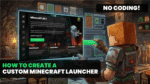
A brand new tutorial video has been released by ByteBox Media ahead of the brand new Game Launcher Creator release.
The all-new, upcoming release of Game Launcher Creator sees the fourth major iteration in the engine in the last 8 years.
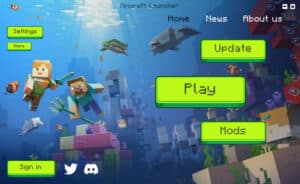
This video showcases just how easy it really is to create a custom Minecraft launcher with the brand new software. The plugin has been completely rewritten from scratch and uses all the latest libraries to ensure compatibility remains for many years to come.
It’s as easy as dropping the Minecraft Plugin into the custom launcher window and then clicking the settings and configuring it to connect to your server. You simply input your Minecraft server IP and Port. You can also configure additional settings such as minimum and maximum amount of RAM to allocate to the MC instance, starting screen size (resolution) and this brand new version even lets you send custom JVM arguments.
It also allows you to use custom Minecraft directories, because we all know how important they are right?
Creating your own Minecraft Launcher has never been easier with no coding.
It is faster, more streamlined and much more efficient than the GLCV3 legacy plugin.
Check out the video to see just how easy it is before you Pre-Order GLCV4.